 Logic Android Companion
Your Android tablet, as a Logic Pro remote.
Mix, record and tweak plug-ins from the couch or the vocal booth. Logic Android Companion talks to Logic Pro on your Mac over Wi-Fi, no iPad needed.
Everything within reach
Built for touch, laid out like the Logic you already know.
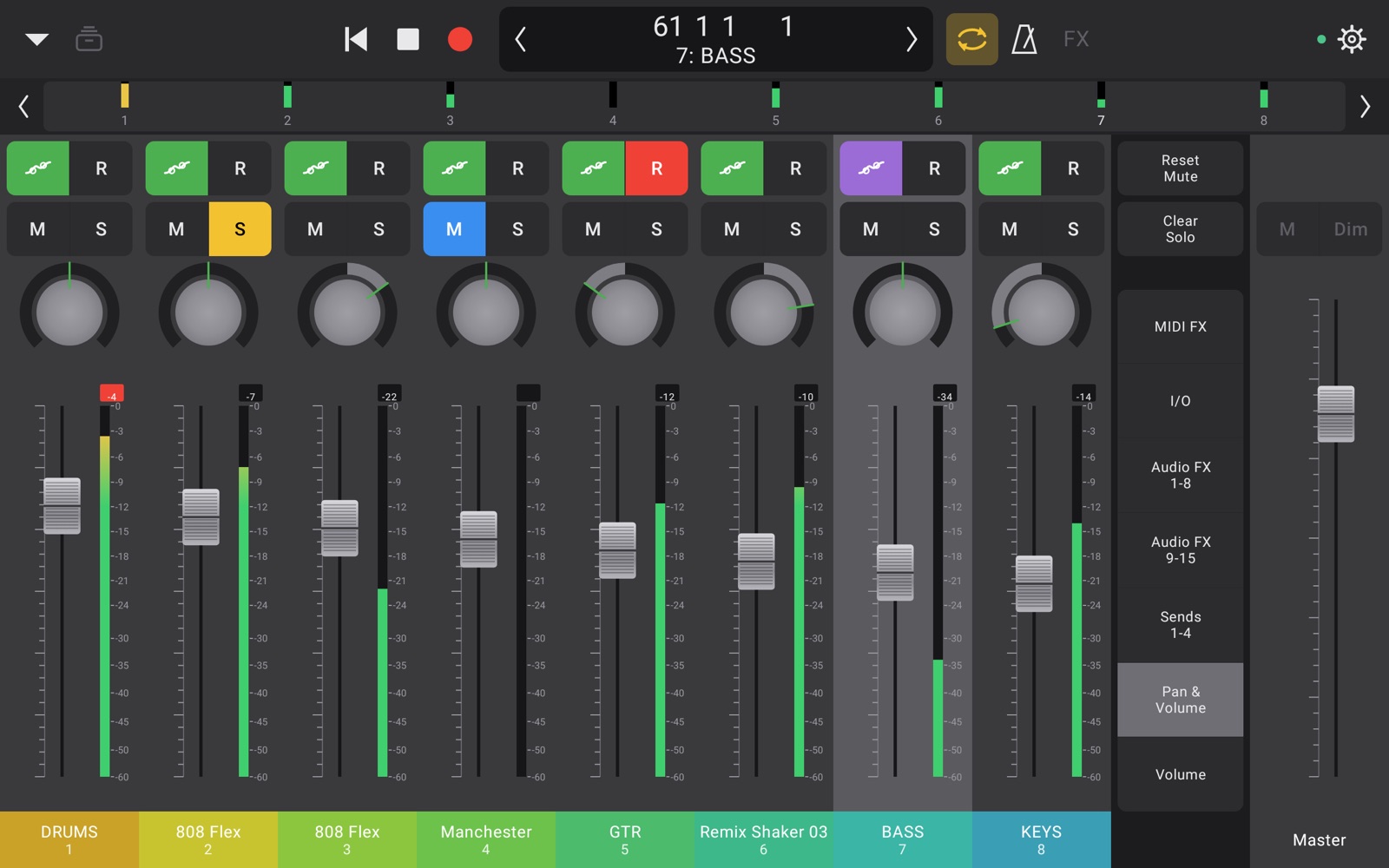
Mixer
Touch-aware faders, pan, mute, solo, record arm, meters with clip LEDs, sends and plug-in slots.
Transport
Play, stop, record, cycle, metronome and a live position display with the selected track name.
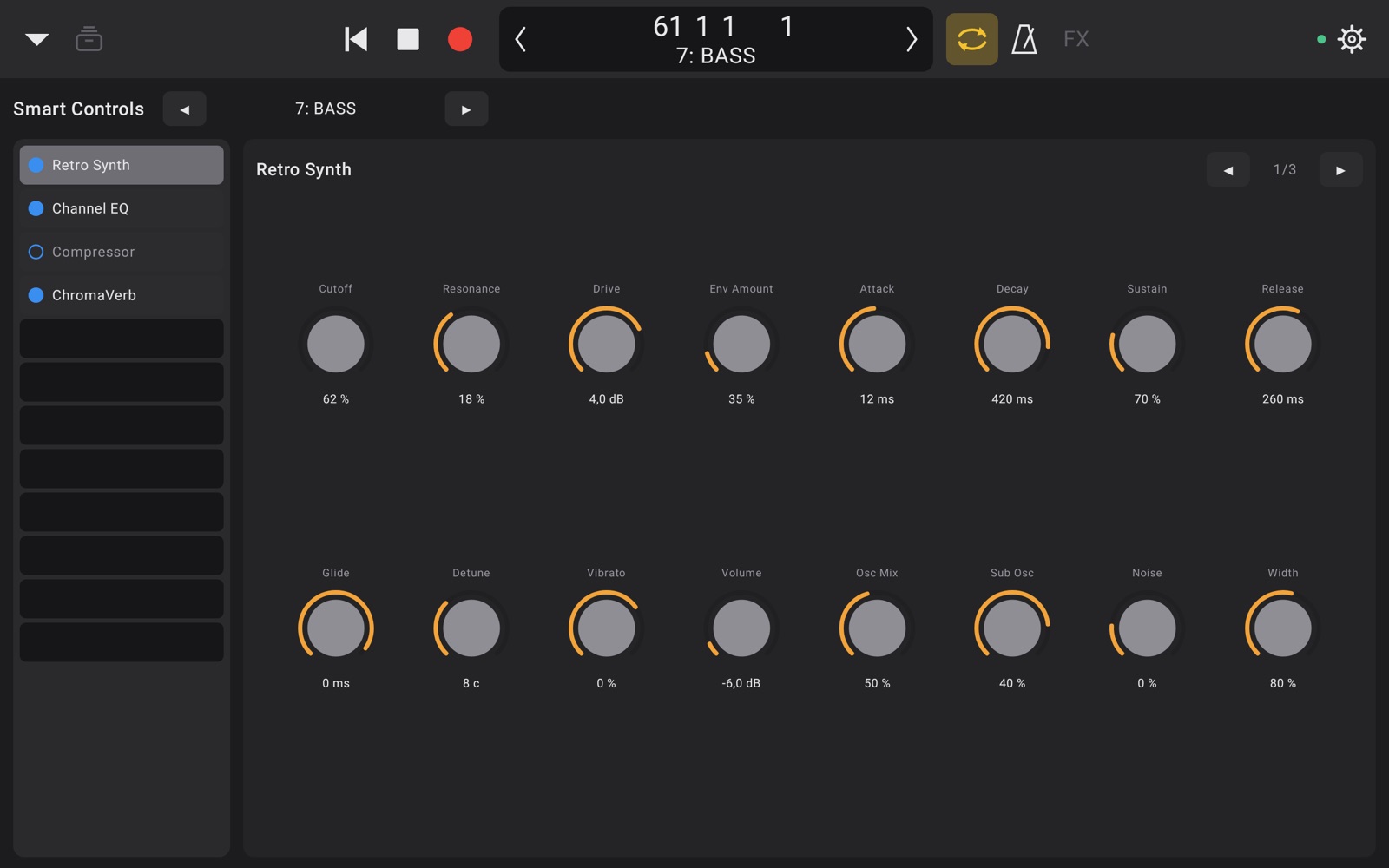
Smart Controls
Logic's own Smart Control layouts and artwork, drawn on your tablet and kept in sync.
Plug-in editors
Channel EQ, Compressor, Gain, Echo and ChromaVerb with real parameter names and values.
Key Commands
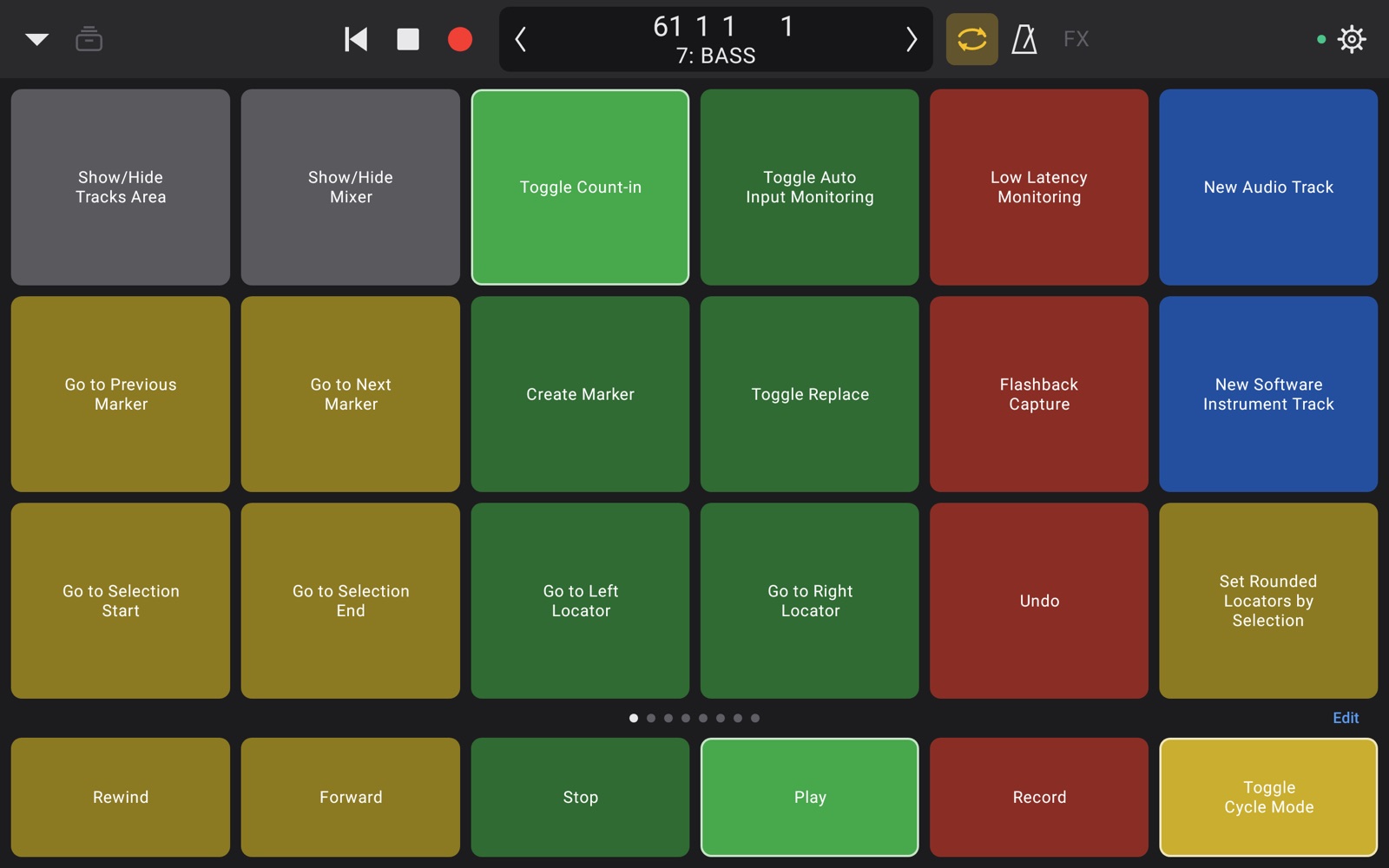
Trigger Logic's key commands without reaching for the keyboard.
Finds your Mac
Discovers the bridge automatically over Bonjour. Or just type the Mac's IP address.
Smart Controls, like Logic
Pick a track and its Smart Controls appear with the same knobs, pages and plug-in list you see on the Mac. Turn a knob and Logic follows.
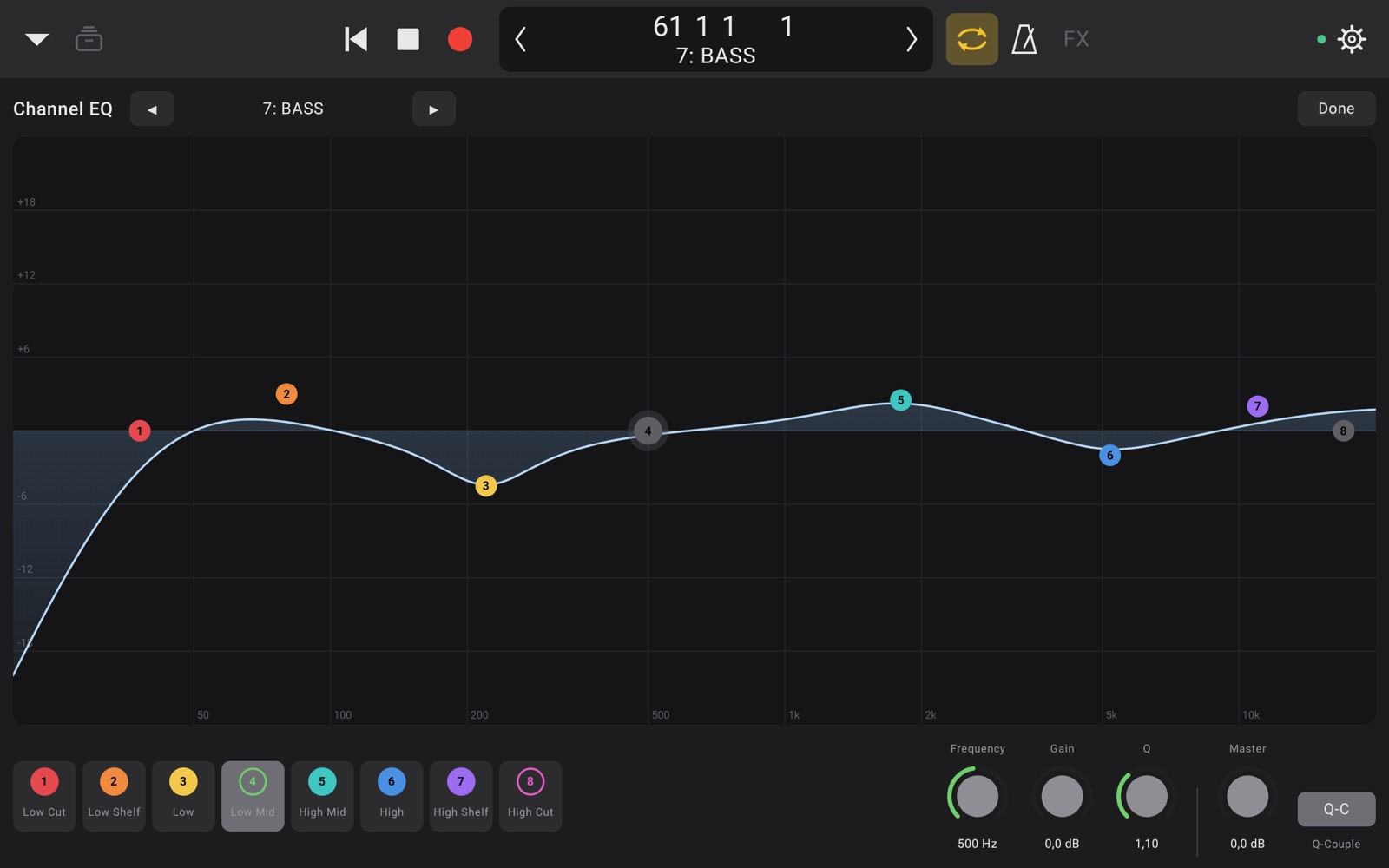
Dial in your EQ
A dedicated Channel EQ editor, so shaping a sound doesn't mean going back to the mouse.
Key commands on tap
Your most-used Logic shortcuts, one touch away.
Set up in a few minutes
A small bridge app runs on your Mac and connects Logic to your Android device.
- Install the Mac bridgeDownload LAC Bridge (free, macOS 13+, Apple silicon and Intel), open the disk image, drag the app to Applications and open it. It lives in the menu bar.
- Add the control surfaceIn Logic: Control Surfaces → Setup, add Mackie Control on LAC Bridge. Add the TouchOSC surface for EQ, Smart Controls and plug-ins.
- Open the appOn an Android device on the same Wi-Fi network. It finds your Mac by itself.
The first time you open it, if macOS says it can't verify the app, go to System Settings → Privacy & Security and click Open Anyway. Then allow Accessibility (for Sends, plug-in lists and full track names) and Local Network access when asked. To quit the bridge, use its menu bar icon.
Free to start, pay once
No ads, no subscription. Get it working first, then unlock more if you like it.
Free
- Mixer, sends and plug-in slots
- Transport and control bar
- Live position and track display
One-time unlock · 4,99 € / $4.99
- Channel EQ, Smart Controls and Key Commands
- Compressor, Gain, Echo and ChromaVerb editors
- Step Sequencer and Chord Strips
- More plug-in editors as they arrive
- Future updates and extras